

Update: Pinterest may have changed individual screen labels since this guide was published, although the account setup principles remain useful.
1. How to set up a pinterest account
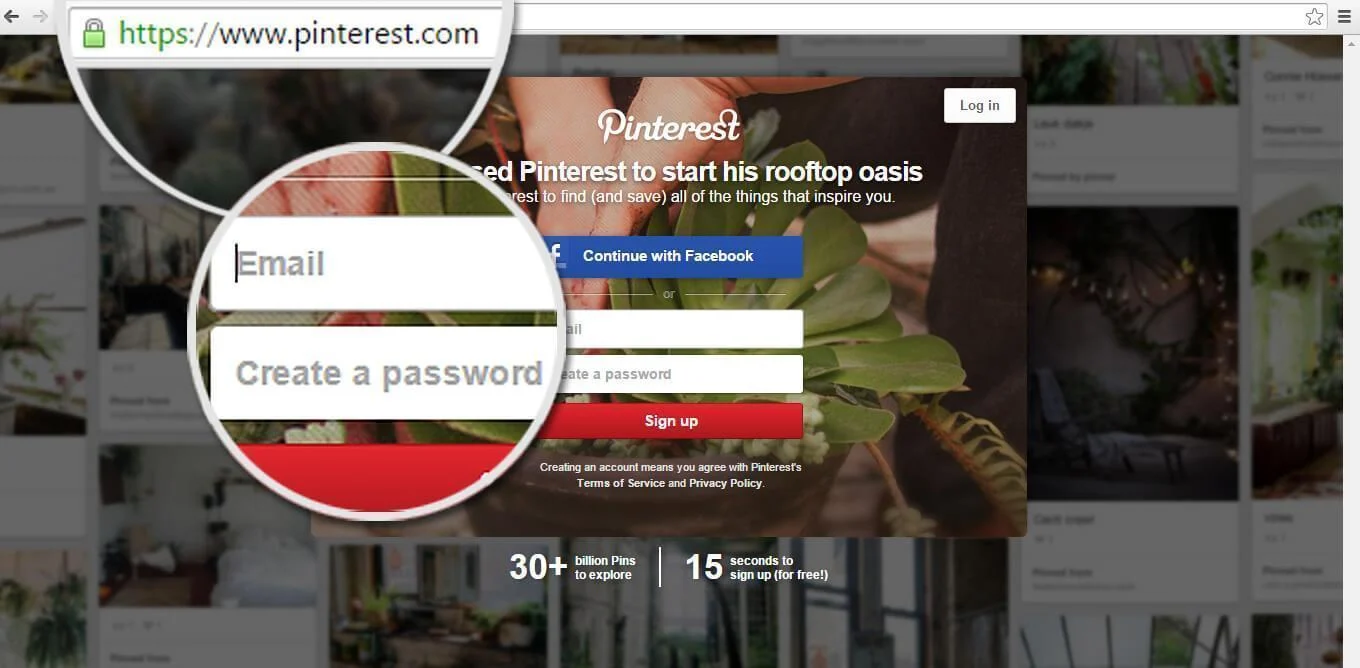
Go to www.pinterest.com, type your e-mail address and choose a password with a minimum of six characters. Hit ‘Sign Up’!
2. Are you a Business?
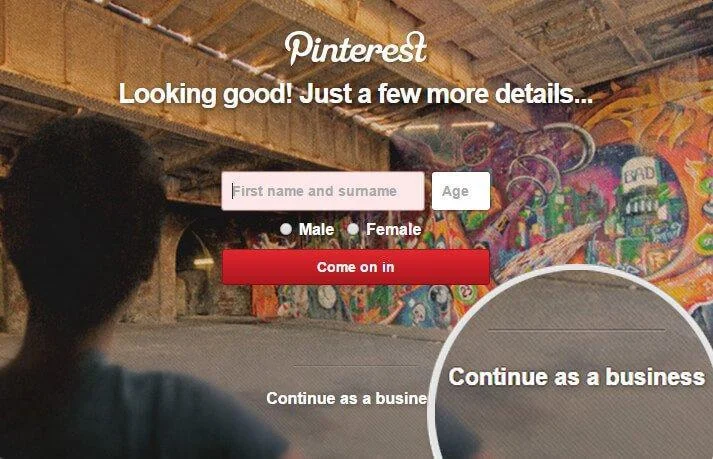
Click the link at the bottom ‘Continue as a business’, Fill in your details, choose your business type from the drop down list and click ‘Create account’.
If you need to set up an account click ‘Sign up for Facebook’ & then after return to https://www.facebook.com/pages/create.php again.
Twitter will now prompt you to follow specific accounts.
3. What do you like?
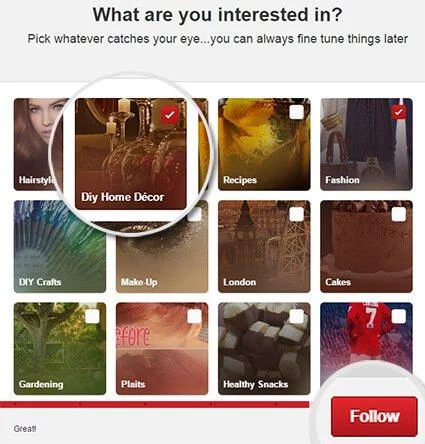
You need to choose five categories to follow. Choose boards which relate in some way to your business and click ‘Follow’.
4. Adding Boards and Pins
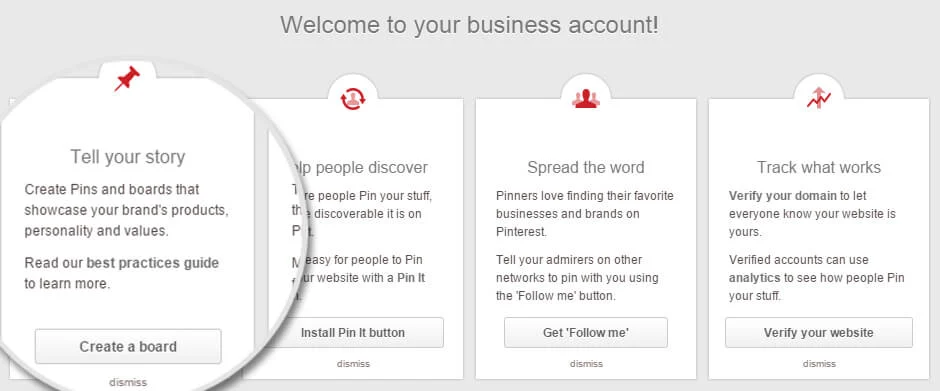
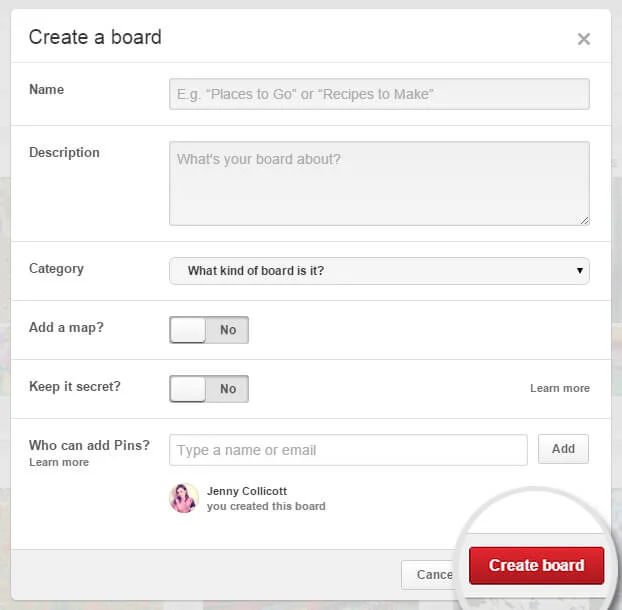
You are now at your Pinterest Dashboard. Click ‘Create a board’ to get started.
Fill in the details of your board and click ‘Create board’.
5. Upload your first pin
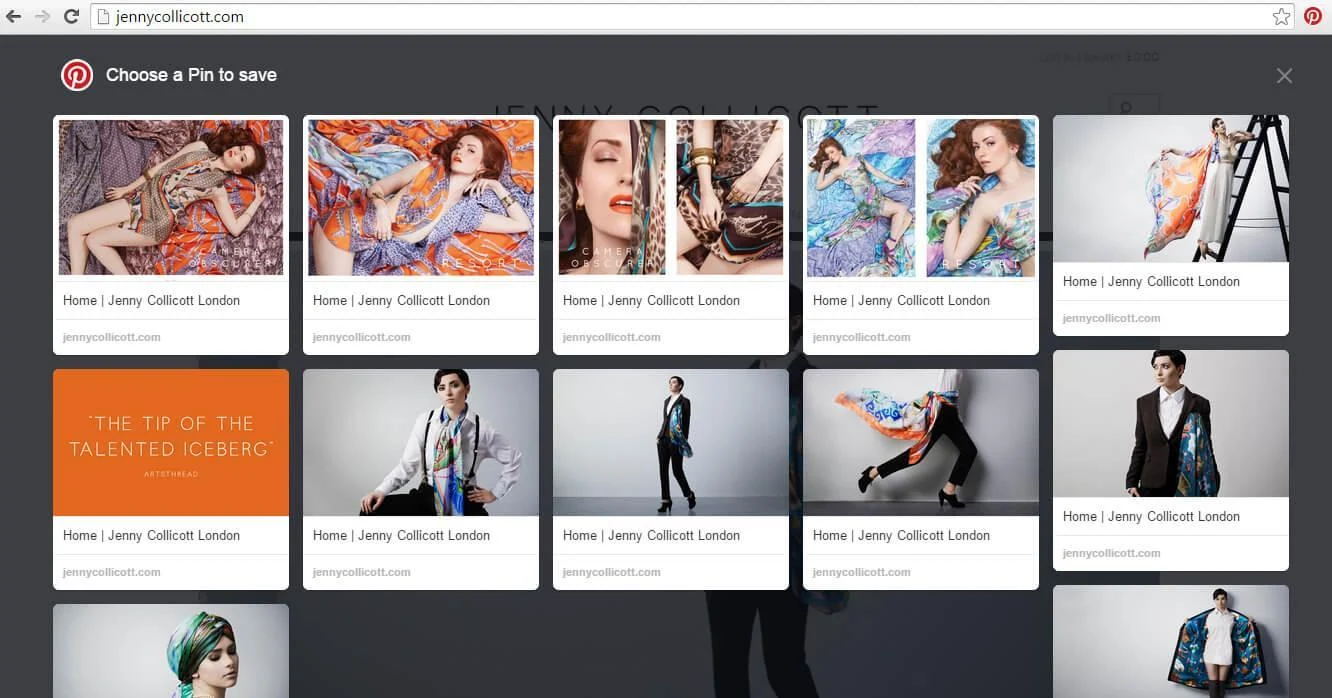
Click ‘Add a Pin’ on the left hand side and the ‘Pin from’ box will pop up. Select ‘Your device’ and choose an image from your files.
From the drop down menu choose the board that you want to pin the image to. In the description write about the image and add a link to the relevant web page.
All Done!
Enjoy!
Need a Web Designer?
Perhaps your branding idea is still stagnating on the back of an envelope? Or maybe your business profile isn’t packing-a punch? If so Jigsaw’s tea-fuelled web design team – with our bags of creativity, technical know-how and marketing magic – are here to put a rocket up your brand
Ready to turn useful ideas into practical growth?
Tell us what you want to improve. We can bring your website, brand, marketing and automation together into a clearer plan.




